
Your AI’s Work is Now Verifiable
Introducing the Intelexta Alpha. We’re launching with a new ChatGPT App that generates summaries with a cryptographic ‘Content-Addressable Receipt’ (CAR), and a public verifier to prove it.
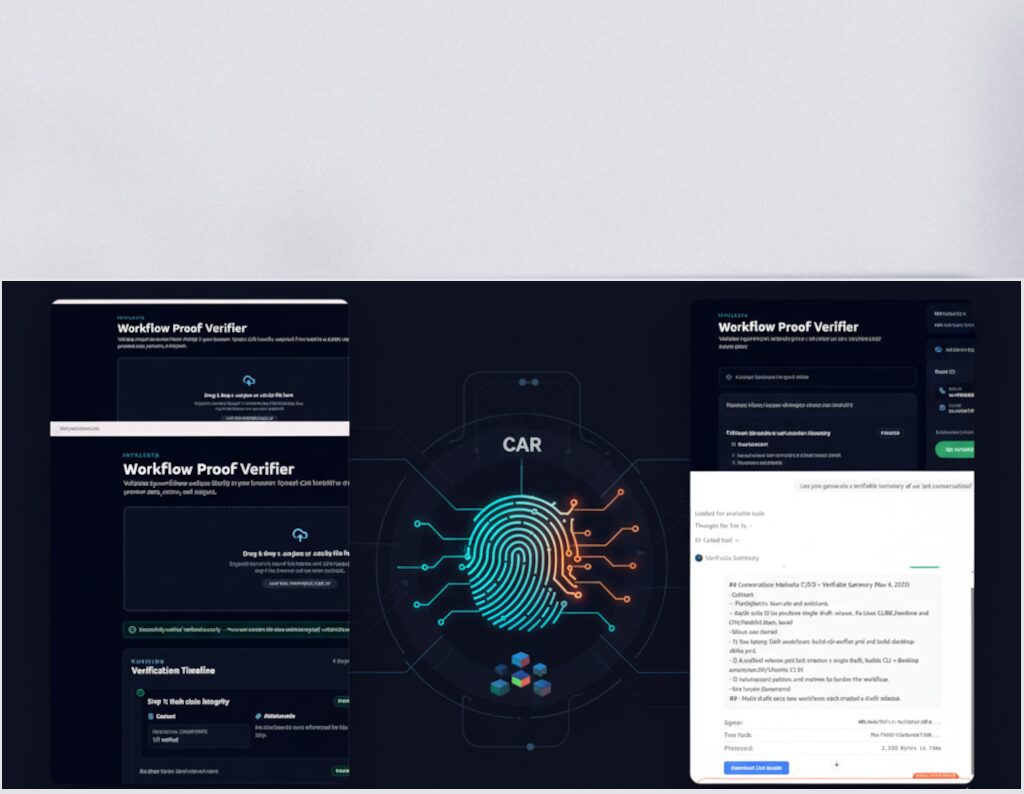
The Alpha Loop: “A Simple, Verifiable Workflow”
Explore the revolutionary proof-based AI summary tool.

Connect
Connect the Intelexta App to ChatGPT in Developer Mode.
Proof of Generation
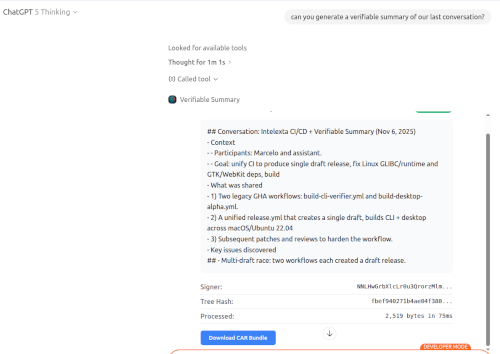
Ask the app to summarize text. It generates a summary and a cryptographic CAR.
Seamless Verification
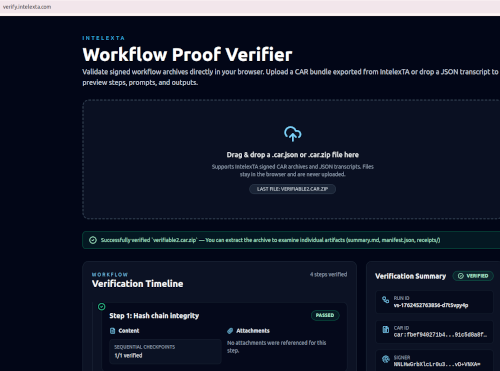
Paste the CAR into verify.intelexta.com for instant, tamper-proof verification.
Transparent AI Outputs
Ensures authenticity through cryptographic content receipts.
How to Get Started (Developer Mode Alpha)
Prerequisite: This alpha requires a ChatGPT Plus, Pro, Go, or Free plan. (Note: Business and Enterprise plans do not yet support using apps, even in developer mode).
1
Step One: Enable Developer Mode in ChatGPT
Navigate to Settings in the bottom-left of ChatGPT.
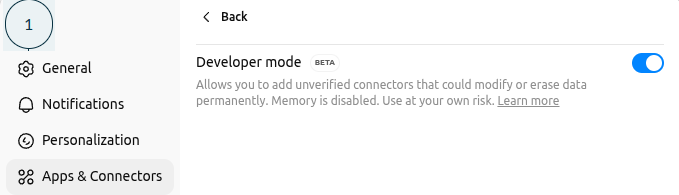
Go to Apps & Connectors.
Scroll to the bottom and click Advanced settings.
Toggle on Developer mode.
2
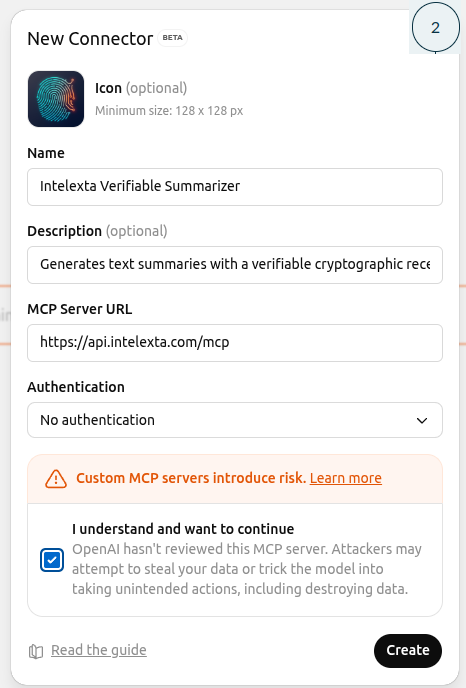
Step Two: Add the Intelexta Connector
Go back to Settings → Connectors and click the Create button.
Paste in the following information:
Connector name: Intelexta Verifiable Summarizer.
Description: Generates text summaries with a verifiable. cryptographic receipt (CAR) to prove the AI’s work.
Connector URL: https://api.intelexta.com/mcp.
Choose no authentication.
Click Create. You should see a success message.
3
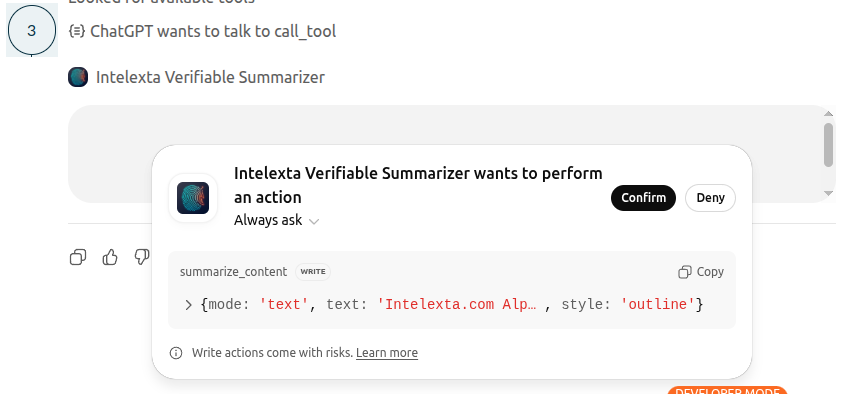
Step Three: Generate a Verifiable Summary
Open a (new) chat in ChatGPT.
Click the + button (near the message composer) and click More.
Select the Intelexta Verifiable Summarizer from the list. This adds the app to your chat.
Prompt the app to summarize something. For example:
“Generate a verifiable summary of the following text: [paste your text here]”
“Generate a verifiable summary of our results in this chat.”
“Generate a verifiable summary of the attached document.”
Authorize the app when prompted by ChatGPT.
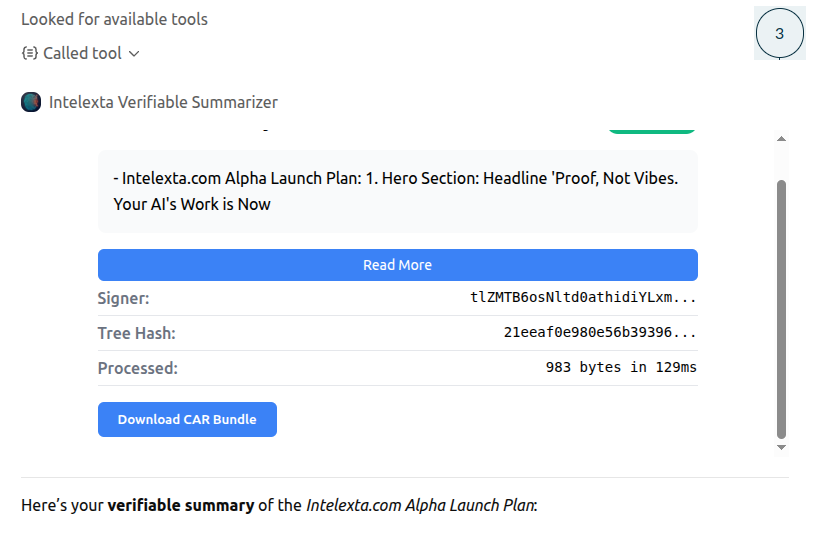
The app will respond with a human-readable summary and provide a CAR bundle for download.
4
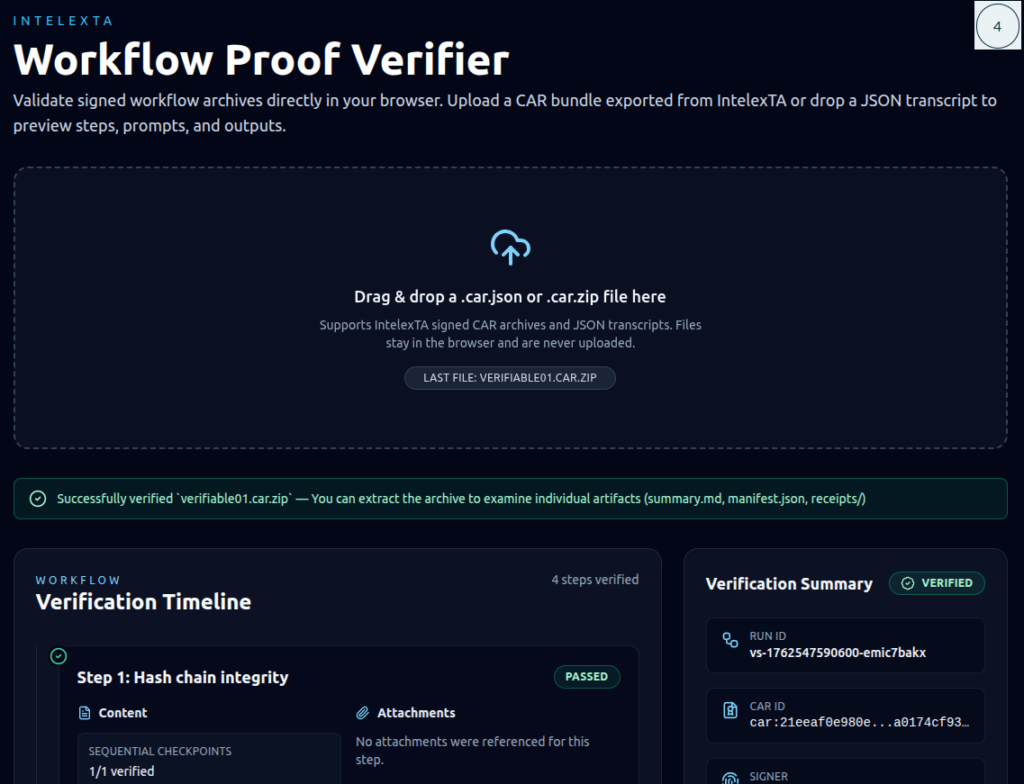
Step Four: Verify Your Proof
This is the “Proof, Not Vibes” moment.
Download the CAR bundle provided by the app.
Navigate to https://verify.intelexta.com.
Upload the CAR bundle and click Verify.
You will receive an instant, cryptographic confirmation that the receipt is valid and has not been tampered with.
For Developers: The intelexta-verify CLI
Want to verify receipts locally or in automated scripts? Use our standalone, open-source verification tool.
How to Install:
How to Use:
# Verify from a file
intelexta-verify /path/to/receipt.car.zip
We currently accept CARs that conform to the IntelexTA CAR v0.3 schema:
- IntelexTA CAR schema (v0.3) – full JSON Schema and examples
→https://github.com/gaugefreedom/intelexta-schemas - CAR profiles: CAR-Lite vs CAR-Full – guidance for integrators and tool authors
→https://github.com/gaugefreedom/intelexta-schemas/blob/main/docs/car-profiles.md
The First Step to Solving AI’s Trust Crisis
This alpha is a simple tool, but it’s built to solve a massive problem. “Trust me” is not an auditable workflow. Intelexta provides the proof.
Use Cases:
- For Reproducible Research & Publishing: Journals are already asking for “AI Use Disclaimers.” The Content-Addressable Receipt (CAR) is the natural evolution from a simple disclaimer to a cryptographic proof. Researchers can now attach a CAR to their paper, allowing reviewers, journals, and colleagues to cryptographically verify that a summary or analysis was generated exactly as claimed—proving which model, data, and prompt were used.
- For Academic Integrity: A student can submit their work with a CAR to prove how they used AI as a tool, not just as a crutch. It provides a verifiable research process, moving the conversation from “Did you use AI?” to “How did you use AI?” It demonstrates critical thinking and transparent, honest AI-assistance.
- For Auditable Workflows: A legal associate can summarize a sensitive document and archive the CAR with it. This creates a simple, tamper-evident record for e-discovery, providing an immutable “chain of custody” for the AI-generated summary. It proves the origin of the summary and that it hasn’t been altered.
This Is Just the Bedrock
Today’s alpha is the first step. The full Intelexta vision is a local-first control plane for all professional AI-driven work.
We are building the ‘air traffic control system’ for AI—an IDE for researchers, engineers, and financial analysts to manage, audit, and orchestrate complex AI workflows.
The full Intelexta platform will provide:
Intelligent Orchestration: Build multi-step AI pipelines that are deterministic and replayable.
Verifiable Provenance: Cryptographically prove how every result was generated.
Resource Governance: Set and enforce hard budgets for cost and energy.

Cryptographically Verified Summaries

Tamper-Proof Content Receipts

Web & CLI Verification Tools

Innovative AI Workflow Transparency
Short FAQ
Q1. Does Intelexta tell if something was written by AI?
Not reliably. Any automatic “AI vs human” signal is approximate. Instead, Intelexta focuses on documenting how AI was used and highlighting where content looks fragile or under-supported.
Q2. Does this guarantee my work is correct?
No. Intelexta provides model-based analyses and cryptographic receipts. You remain responsible for the truth, ethics, and compliance of your work.
Q3. Is my private text used to train public AI models?
No for signed-in “Private workspace” runs: your content is processed to produce your report and receipt, but it is not intended for public model training. For anonymous/community mode, the underlying provider may use prompts/responses to improve models depending on their terms—use private mode for sensitive work. For detailed retention and processing rules, see our Privacy Policy
Q4. What is a CAR receipt?
A CAR (Content-Addressable Receipt) is a tamper-evident proof file that records what was checked, when, and how—including hashes, timestamps, and model/config metadata. It’s designed so others can verify the receipt integrity later.
Q5. Can someone verify my proof without an account?
Yes. You can share a proof link / auditor view so a recipient can verify the receipt and see the report context without signing in (where enabled).
Q6. What’s the difference between Validate Draft vs Validate Idea?
Validate Draft checks text you already have (fast).
Validate Idea starts from a concept and generates a structured draft plus provenance artifacts, then runs checks on the result (more “workflow” oriented).